
vCIO Services for RIAs: Strategic IT Leadership & Security

Updated: May 10

Running a successful RIA means you’re juggling client relationships and chasing business growth. But let’s be honest—technology can pull your attention in a dozen different directions at once, from compliance automation and IT budget management to AI-driven ecchnology and other technical challenges.
As a business leader, you need strategic IT leadership and business intelligence, as well as a strategic plan to avoid issues like ransomware attacks and other data analytics to protect sensitive client data and meet compliance requirements. Smooth operations and IT decisions matter, but hiring a full-time Chief Information Officer might not fit your budget or even make sense right now if you're a small or medium-sized business.
It's time for big picture thinking if you're a financial institution or the like, from AI applications to staff management, keep reading to learn more.
A Virtual CIO (vCIO) gives you executive-level IT guidance and strategy without the cost of a full-time senior technology executive. You get access to tech leaders who understand the financial services world and the headaches RIAs face every day.
A vCIO works with your team to build an IT roadmap that supports your business goals. They help you manage cybersecurity risks, vendor relationships, and technology investments.
The right vCIO partnership lets you make smarter technology decisions and frees up your time for clients. They bring expertise in data security, regulatory compliance, disaster recovery planning, and digital transformation.
This approach gives you strategic oversight at a fraction of the cost of a full-time hire.
Key Takeaways
vCIO services offer RIAs executive-level IT leadership without the expense of a full-time Chief Information Officer
A vCIO aligns your technology strategy with business goals and manages cybersecurity, compliance, and infrastructure needs.
This partnership lets you focus on client relationships while getting expert guidance on technology decisions and cost optimization.
Understanding vCIO Services for RIAs

A virtual Chief Information Officer provides strategic technology leadership for registered investment advisors. You get expert IT guidance that aligns technology decisions with your business goals and regulatory requirements.
Definition of vCIO and Virtual CIO Services
A vCIO is an outsourced technology advisor who handles the same strategic responsibilities as a traditional CIO but works on a flexible, part-time basis. Virtual CIO services include technology strategy development, IT budgeting, vendor management, and compliance oversight.
For RIAs, a vCIO focuses on cybersecurity, data protection, and regulatory compliance in the financial services industry. They create technology roadmaps and cybersecurity strategies that support your growth and manage costs effectively.
The vCIO works directly with your leadership team to understand business objectives and translate them into actionable IT strategies. In practice, they serve as your technology partner, making recommendations on software systems, cloud computing, security APIs, technology implementation, long-term strategies, other cloud services, and security tools that meet SEC and FINRA requirements.
You get access to enterprise-level IT expertise without the six-figure salary and benefits package of a full-time CIO.
How vCIO Services Differ from Traditional CIO Roles
Traditional CIOs work full-time within one organization and manage internal IT teams. They handle both strategic planning and daily operations, and other cybersecurity measures.
A vCIO operates on a part-time or project basis and usually works with several clients at once to achieve business success.
Key Differences:
Traditional CIO | Virtual CIO |
Full-time employee | Part-time contractor |
Fixed annual salary ($150,000-$300,000+) | Flexible monthly fee |
Single organization focus | Multi-client experience |
Manages internal IT staff | Coordinates with existing team or MSP |
Virtual CIO services offer more flexibility for your RIA. You can scale services up during major projects—like office moves or system upgrades—then dial them back when things stabilize.
The vCIO brings experience from working with multiple financial firms. That means you see industry best practices and solutions that actually work.
Key Benefits for RIAs
You save money by paying only for the strategic guidance you need. Most RIAs spend 60-70% less on virtual CIO services compared to hiring a full-time executive.
These savings let you invest more in client-facing technology and compliance tools. Your firm gains access to specialized knowledge about financial services technology and regulations.
The vCIO understands SEC cybersecurity requirements, data privacy rules, and the specific software tools RIAs use every day. They help you avoid costly compliance mistakes and security breaches.
Virtual CIO services provide an outside perspective on your technology stack. Your vCIO finds inefficiencies, recommends vendor changes, and makes sure you’re not overpaying for outdated systems.
They help you plan for growth—whether you’re adding advisors, opening new offices, or implementing client portals. You get proactive technology management instead of just putting out fires.
The vCIO creates multi-year technology roadmaps that line up with your business strategy and budget constraints.
Aligning IT Strategy with Business Objectives

A vCIO helps RIAs connect technology decisions directly to business goals. This creates a clear path forward and makes sure every IT investment supports your growth and compliance needs.
Strategic Planning for RIAs
Strategic planning for RIAs means understanding your business objectives and the regulatory environment. Your vCIO looks at your current operations, client acquisition goals, and service delivery models to spot where technology can make the biggest impact.
This planning goes beyond basic IT support. It maps out how your systems need to change as your assets under management grow and your client base expands.
Your vCIO considers factors specific to wealth management firms:
Client onboarding efficiency and digital account opening capabilities
Portfolio management systems that scale with your practice
Compliance tracking tools that meet SEC requirements
Client communication platforms for secure document sharing
Usually, this process includes quarterly strategy sessions. Your vCIO reviews progress against goals and adjusts plans as business priorities or regulations shift.
Ensuring Technology Supports Growth
Your IT infrastructure has to scale with your business. You can’t afford bottlenecks or security gaps as you grow.
A vCIO checks if your current systems can handle more clients, new advisors, and expanded service offerings. They assess your CRM capacity, data storage needs, and network performance.
Your vCIO finds potential constraints before they affect operations or client experience. For RIAs adding new advisors or opening more offices, technology planning is critical.
Your systems need to support remote access, keep data secure across locations, and perform consistently for everyone. The vCIO also keeps an eye on emerging tech—like advanced portfolio analytics or automated compliance reporting—that could give you an edge.
IT Roadmap Creation
A technology roadmap gives you a timeline for rolling out new systems and upgrading old ones. Your vCIO builds this roadmap around your budget, business priorities, and technical needs.
The IT roadmap breaks projects into phases, usually over 12 to 36 months. Each phase lists specific projects with costs, timelines, and expected results.
Key components of an RIA technology roadmap:
Component | Purpose | Timeline |
Security upgrades | Meet compliance standards | Ongoing |
System migrations | Modernize core platforms | 6-12 months |
Integration projects | Connect disparate tools | 3-6 months |
Training programs | Ensure staff adoption | Quarterly |
Your vCIO prioritizes projects by risk, regulatory deadlines, and potential ROI. This way, you don’t overwhelm your budget or staff, and critical upgrades stay on track.
Technology roadmap development includes regular checkpoints. Your vCIO reviews progress and adjusts priorities as your needs evolve.
Cybersecurity and Compliance Priorities
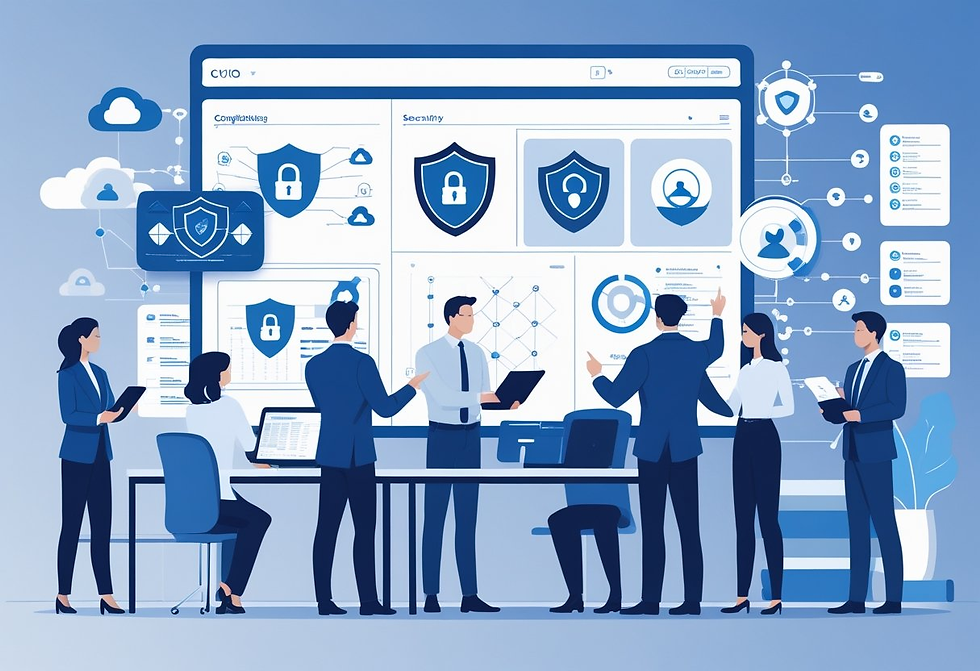
RIAs deal with strict SEC data protection rules and ever-growing cyber threats. A vCIO helps you meet these demands with structured security assessments, proven frameworks, and ongoing compliance management.
Security Posture Assessments
A security posture assessment spots weak points in your technology before they become real problems. Your vCIO reviews systems, access controls, and data handling practices to find gaps that could lead to breaches or regulatory trouble.
The assessment covers key areas:
Access controls and user permissions across all systems
Data storage and encryption for client information
Network security and firewall configurations
Backup systems and disaster recovery capabilities
Email security and phishing protection measures
Your vCIO documents findings in plain language and ranks risks by severity. This gives you a clear plan to fix the most urgent issues first.
The assessment also creates a baseline to measure improvement. Regular assessments keep up with new threats and changes as your firm grows or shifts direction.
Cybersecurity Frameworks for RIAs
Your vCIO uses proven security frameworks that match SEC expectations and industry standards. These frameworks provide structure for protecting client data and managing cyber risks.
Multi-factor authentication becomes mandatory across all systems with sensitive info. This extra step blocks most unauthorized access—even if someone gets a password.
Your vCIO sets up MFA for email, portfolio management software, and file storage. Encryption protects data at rest and in transit, so client files and communications stay secure whether they’re on servers or moving between systems.
Your vCIO establishes policies for password management, device security, and secure remote access. Staff get clear, practical guidelines. The framework also spells out incident response procedures so everyone knows what to do if there’s a breach.
Regulatory and Compliance Management
Your vCIO tracks SEC requirements and helps you stay ahead of deadlines. The updated Regulation S-P requires RIAs to keep formal incident response plans, breach notification policies, and documented security procedures.
Risk assessment documentation needs to be current and detailed. Your vCIO runs regular evaluations and maintains records that satisfy SEC audits, including logs of security incidents, policy updates, and staff training completion.
Compliance deadlines vary. Larger RIAs with $1.5 billion or more in assets had to comply by December 2025, while smaller firms have until June 2026.
Your vCIO creates audit-ready documentation, organizing policies, procedures, and evidence of implementation. When the SEC asks for info, you’ve got it ready. They also monitor regulatory updates and tweak your security program as new requirements pop up.
IT Infrastructure and Scalable Solutions

RIAs need technology infrastructure that supports today’s operations and can flex for tomorrow’s growth. A vCIO helps you build systems that handle more clients and tougher regulations—without constant overhauls.
Modernizing Technology Infrastructure
Your current IT setup might include outdated systems that drag down operations and open up security holes. A vCIO steps in to review your technology stack, looking for weaknesses in servers, networks, storage, and backup systems.
Cloud-based platforms often take the place of aging on-premises systems. This shift boosts accessibility for remote teams and cuts down on maintenance costs.
Your vCIO handles the migration process, working to keep client service running smoothly. Automation is a big part of modernization, too.
Repetitive tasks like client reporting, data backups, and compliance documentation can run automatically. That means your team can spend more time building client relationships and less time on manual chores.
Modernized infrastructure also tightens up your cybersecurity. Updated systems get regular security patches and come with built-in protections against threats targeting financial advisors.
Scalable IT Solutions for Growth
Your firm's technology needs shift as you add clients and roll out new services. Scalable infrastructure grows with you, so you don't have to replace everything or scramble for expensive upgrades.
A vCIO designs flexible systems that can handle growth in a few key areas:
User capacity: Bring on new advisors and staff without slowing things down
Data storage: Expand client files and documents as your book of business grows
Software licensing: Adjust subscriptions based on what you actually use
Cloud solutions make scaling easier since you only pay for what you use. Your vCIO keeps an eye on resource usage and bumps up capacity before you run into limits that could cause problems.
Scalable infrastructure also means you can add new services—like retirement planning or tax support—without rebuilding your whole tech stack. This flexibility helps you move faster than competitors stuck with rigid systems.
Vendor and Partner Relationship Management

A vCIO helps RIAs manage technology vendors by taking care of contract negotiations, coordinating service providers, and making sure partners deliver value that lines up with your business goals.
Vendor Selection and Negotiation
Your vCIO reviews potential vendors based on your firm's needs and regulatory rules. They look at each provider's capabilities, security standards, and track record in financial services.
This includes checking service level agreements to make sure vendors can deliver the uptime and support you need. During contract talks, a vCIO uses industry know-how to get better terms and pricing.
They know what’s standard for managed service provider contracts and software licenses, so you won’t overpay or end up stuck with bad terms.
Key negotiation areas include:
Contract length and renewal terms
Service level guarantees and penalties
Data security and compliance requirements
Pricing structures and hidden fees
Exit clauses and data portability
Your vCIO makes sure all vendor agreements have the right liability coverage and meet SEC and FINRA compliance standards.
Optimizing Vendor Relationships
A vCIO acts as your single point of contact for all tech vendors. This cuts down on miscommunication and speeds up issue resolution across different providers.
They track vendor performance against agreed metrics and hold providers accountable for service delivery. Regular vendor reviews help spot underperforming relationships that waste resources or create compliance risks.
Your vCIO suggests when to renegotiate contracts, switch providers, or consolidate services. They also document all vendor interactions for audits.
If issues pop up, your vCIO manages escalations and pushes for quick resolution. This keeps your firm safe from service disruptions that could hurt client relationships or regulatory reporting.
IT Budgeting and Cost Optimization

RIAs deal with unique IT spending challenges that need careful budget planning and ongoing cost control. A vCIO helps you build financial models that tie tech investments to compliance, client service, and revenue goals.
Budget Planning Processes
Your vCIO puts together a 12-24 month IT budget that fits your firm's growth plans and regulatory needs. They start by reviewing what you currently spend on software, cybersecurity, storage, and support.
The budget breaks down into quarterly funding periods, each with specific initiatives ranked by business value, compliance urgency, and how quickly they deliver results. This helps you avoid surprise costs and gives you control over spending.
Common budget categories for RIAs include:
Compliance and security tools (30-40% of IT budget)
Client portal and CRM platforms (20-25%)
Data backup and disaster recovery (15-20%)
Infrastructure and cloud services (15-20%)
Staff productivity tools (5-10%)
Your vCIO tracks spending against these categories and adjusts quarterly based on performance. You get reports showing how each investment affects client retention, efficiency, or audit readiness.
Cost-Effectiveness Strategies
A vCIO finds ways to cut IT costs without sacrificing security or service. This could mean consolidating software, negotiating better contracts, or putting cloud cost controls in place.
Many RIAs overspend on unused licenses or overlapping security tools. Your vCIO runs regular software audits and eliminates waste.
For cloud services, they use FinOps practices to monitor usage and right-size resources to match demand.
Key cost optimization tactics include:
Software consolidation: Replace multiple tools with one integrated platform
Volume licensing: Negotiate multi-year deals for better per-seat pricing
Cloud resource management: Use reserved instances and auto-scaling to cut infrastructure costs by 20-30%
Vendor performance reviews: Switch providers if service levels don’t match contract terms
Your vCIO also weighs whether to build or buy solutions. Sometimes a custom integration saves more over three years than paying annual fees for a third-party connector.
Risk Management and Business Continuity

RIAs face unique regulatory and operational risks that need strong protection strategies. A vCIO handles these challenges through risk assessments, disaster recovery frameworks, and continuity planning to keep your firm running during disruptions.
Risk Mitigation Approaches
A vCIO regularly checks your tech infrastructure for vulnerabilities. They review network security, data access controls, and compliance gaps that could lead to breaches or penalties.
Your vCIO puts layered security in place—firewalls, endpoint protection, email filtering, and access management. They also set up security training for staff to cut down on human error risks.
The vCIO keeps tabs on new threats and updates your security as needed. They track compliance rules from the SEC and others, making sure your tech practices stay current. Regular penetration testing and vulnerability scans help catch problems early.
Disaster Recovery Planning
Your disaster recovery plan spells out how you'll restore critical systems after an incident. The vCIO figures out which systems are essential and sets recovery time goals for each.
Automated backups for client data, applications, and system configs form the backbone of disaster recovery. Your vCIO stores these backups in several places, including off-site or in the cloud, to guard against local disasters.
The plan lays out step-by-step procedures for restoring data and systems. Your vCIO tests these steps regularly to make sure they work. Documentation covers who handles each task and how to reach key people during an emergency.
Ensuring Business Continuity
Business continuity planning looks at how your firm keeps serving clients during any disruption. Your vCIO develops ways to maintain operations through power outages, cyberattacks, natural disasters, or equipment failures.
Remote work is a big part of modern continuity plans. The vCIO makes sure your team can access systems and data securely from anywhere. This includes virtual desktops, secure remote access, and cloud apps that keep running even if your office is down.
Your vCIO sets up communication protocols for crises. These define how you'll notify clients, staff, and regulators if something goes wrong. Regular drills and updates keep the plan fresh as your firm and tech change.
Enhancing Data Management and Operational Efficiency
Strong data governance and streamlined IT processes are the backbone of operational success for RIAs. They cut costs, help you make faster decisions, and free up more time for clients.
Efficient Data Governance
Data governance puts clear rules in place for collecting, storing, and using client info. A vCIO sets up organized storage systems that cut out duplication and lower storage costs.
They set access controls so only the right people can see or change sensitive data. Your vCIO also creates policies for data quality checks and regular audits, making sure your info stays accurate and current.
They develop backup procedures and recovery plans to prevent data loss. Proper governance also helps you comply with SEC rules and privacy laws.
Your vCIO documents data handling steps and keeps audit trails, making regulatory reviews less stressful and reducing the risk of fines. Centralized data systems help your team find information quickly, so they spend less time searching and more time analyzing portfolios.
Streamlining IT Processes
A vCIO spots and removes clunky workflows that slow you down. They move your firm away from manual tasks like Excel spreadsheets and paper forms, shifting toward automation.
This reduces mistakes and speeds up things like client onboarding and reporting. Your vCIO reviews your software and cuts out redundant apps.
They connect systems so data flows smoothly between platforms, linking portfolio management with CRM and reporting tools. They set up clear workflows for common tasks—password resets, software updates, data requests—so staff know what to do and don't waste time.
Regular performance monitoring catches bottlenecks before they hurt client service. Task automation takes care of routine jobs like data backups, system monitoring, and report generation, letting your team focus on work that needs human expertise.
Driving Digital Transformation and Technology Innovation
A vCIO helps RIAs bring in new technologies and plan for future innovation. They look at tech trends and figure out which ones actually matter for your firm.
Adopting Technology Trends
Your vCIO checks out new tech trends to see what fits your RIA. They review tools like cloud-based portfolio management, AI for client reporting, and automation platforms that cut manual work.
Not every trend makes sense for every firm, so they filter options based on your needs and budget. The vCIO builds a technology roadmap that sets priorities—maybe cloud storage, client portal software, or digital signature tools.
They make sure each investment lines up with your business goals and compliance needs. The vCIO handles implementation, including picking vendors, negotiating contracts, and training your team.
After launch, they track performance to make sure the tech meets expectations, tweaking things if needed or swapping in better options when they come along.
Supporting Long-Term Innovation
Your vCIO sets up a framework for ongoing innovation. They schedule regular check-ins on your tech stack to spot outdated systems and new opportunities.
This helps you avoid falling behind competitors who jump on better tools. They set aside resources for testing new tech before rolling it out everywhere—maybe through pilot programs with a handful of clients or staff.
Testing lowers risk and helps you dodge expensive mistakes. The vCIO also keeps up with changing regulatory tech requirements, updating your systems as rules shift.
They plan upgrades and replacements before your current tech becomes a problem. This forward-thinking approach keeps your RIA sharp and efficient.
Ongoing IT Support and Managed Services
Virtual CIO services for RIAs cover ongoing IT advice and proactive maintenance to keep your technology humming. These services address both big-picture planning and everyday tech needs.
Continuous IT Advisory
Your vCIO offers regular guidance on technology decisions that shape your RIA's operations. They help you evaluate new software tools and plan system upgrades.
They also address compliance requirements as they come up. You'll get ongoing recommendations about security measures, backup systems, and disaster recovery plans.
Your vCIO keeps an eye on industry changes. When new regulations pop up, they let you know how these might impact your IT setup.
The advisory role covers vendor management, too. Your vCIO helps you pick service providers and negotiate contracts.
They review your technology spending and look for ways to cut costs. Regular meetings keep you in the loop about your IT environment.
Your vCIO explains technical stuff in plain language. This way, you can actually decide what to invest in and what to prioritize.
Proactive IT Maintenance
Managed services take care of the technical work that keeps your systems running. This means monitoring networks, updating software, and fixing problems before they mess with your business.
Your IT support team handles regular maintenance tasks like:
Security patches – Installing updates to protect against new threats
System monitoring – Checking servers and networks for performance issues
Backup verification – Testing that data backups work correctly
Software updates – Keeping applications current and compatible
These services help reduce downtime and prevent data loss. When issues pop up, your managed services provider usually responds quickly, often fixing things remotely.
Proactive maintenance includes help desk support for your staff. If employees run into technical trouble—passwords, software glitches, hardware hiccups—they can reach out for help.
Measuring Success and ROI of vCIO Engagements
RIAs need clear metrics to know if their vCIO partnership actually delivers value. Success measurement blends operational indicators with a financial look at technology spending versus business results.
Key Performance Indicators
Track IT operational efficiency through metrics that matter for wealth management firms. System uptime should stay at 99.9% or higher so advisors can access client portfolios and execute trades without interruptions.
Keep an eye on the average resolution time for IT issues, especially those affecting client-facing systems like portfolio management software or client portals.
Cybersecurity improvements need regular checks, too. Count how many threats get blocked each month and monitor compliance scores for SEC regulations and data protection standards.
Document how fast your team responds to security incidents and how often staff finish security training. Cost savings from IT investments are another way to see ROI.
Add up reductions in software licensing fees after consolidation, downtime cost savings, and savings from cloud migration compared to on-premises infrastructure. Track how many strategic IT projects get completed—think CRM upgrades, cybersecurity enhancements, and system integrations.
Compare these numbers quarter over quarter. If things are working, you should see better security, more efficiency, and lower costs within six to twelve months.
Evaluating Technology Investments
Strategic IT leadership from your vCIO should drive real business growth for your RIA. Weigh every technology investment against clear outcomes like client acquisition costs, assets under management growth, or advisor productivity metrics.
Figure out the cost per incident before and after adding new security tools or managed services. Keep an eye on how tech upgrades impact revenue-generating activities.
Let’s say you roll out a new portfolio management system. Ideally, it should cut down reporting time, freeing up advisors to spend more hours with clients instead of wrestling with spreadsheets.
Track the payback period for big IT investments. Most strategic tech projects ought to show positive returns within 18 to 24 months, either by cutting costs or boosting revenue.
Compare your IT spending as a percentage of revenue to industry benchmarks—usually 4-7% for mid-sized RIAs. It’s not an exact science, but it’s a useful gut check.
If you need more information, contact us here.
Next Steps for Your RIA or Broker-Dealer Firm
Secure Wealth IT helps Registered Investment Advisors, broker-dealers, and financial advisors stay secure, compliant, and audit-ready. Explore these free tools and resources:
Free Financial Calculators: calculator.securewealthit.com
Compliance Self-Assessment Tool: regulations.securewealthit.com
Resource Library: Browse free RIA and broker-dealer guides
Watch on YouTube: Secure Wealth IT YouTube channel
Talk to a Specialist: Schedule a free consultation


Comments