
RIA Email Archiving: Compliance, Solutions & Best Practices

Updated: May 10

Email archiving might sound like just another compliance task on your list, but it’s honestly one of the most important records your RIA firm keeps. Every day, you and your team send a ton of emails to clients, prospects, and vendors.
Each message counts as a business record that regulators expect you to preserve and produce when asked. That’s a lot of responsibility, and it’s easy to underestimate how much it matters until an audit rolls around.
SEC Rule 204-2 requires RIA firms to maintain and preserve all client communications, including emails, for at least five years, with the most recent two years readily accessible.
You need a system that captures every email automatically, stores it securely, and lets you find what you need fast—whether it’s for an audit or a client question.
If you miss emails during an audit, you risk fines, reputational damage, and a whole lot of regulatory headaches.
Modern email archiving solutions make all of this way easier than trying to handle it manually. When you get it right, you’re not just protecting your firm from regulatory risk—you’re also making your team’s life simpler.
Key Takeaways
RIA firms must archive all client-facing emails for at least five years with automated systems to ensure compliance with SEC Rule 204-2
A proper email archiving solution protects your firm from data loss, security threats, and regulatory violations while improving operational efficiency.
Beyond email, RIAs must also archive social media content, websites, and other business communications to maintain a complete record.s
What Is RIA Email Archiving?
RIA email archiving is a system that grabs and stores all your firm’s email communications in a secure, searchable format. Financial advisory firms use these systems to meet regulatory requirements and to manage client communications more efficiently.
Purpose of Email Archiving for RIA Firms
Email archiving isn’t just a nice-to-have—it’s a compliance must. The SEC expects you to preserve electronic communications under Rule 17a-4(f), so you have to store emails in a way that stops anyone from tamperingwith or deleting them.
Your firm probably sends and receives hundreds, maybe thousands, of emails every day. These cover everything from client updates to internal notes and vendor chats. All of it needs to be preserved and easy to pull up if regulators come knocking.
An archiving system captures every email automatically, so your team doesn’t have to think about it. The system stores emails in their original format, attachments, and all.
If regulators request records, you just search and send, instead of digging through endless folders. That’s a lifesaver during audits.
Archiving also protects your firm if legal issues pop up. You can go back and check what was actually said to clients, which can help clear up any misunderstandings.
Key Features of Effective Archiving Systems
You want an email archiving solution with a few non-negotiable features. Automatic capture is a must, so nothing slips through the cracks. Tamper-proof storage keeps archived messages safe from editing or deletion.
Search functionality matters a lot. You should be able to type in a keyword and instantly find emails—even if they’re years old. The system should search message content, subject lines, sender info, and attachments.
Retention policies let you set how long emails stay stored. Role-based access controls are important,t too, so only the right people can view sensitive communications. Data encryption protects client info both in storage and when you access it.
Benefits for Financial Advisory Firms
Email archiving saves your team serious time. Instead of sorting and filing emails, staff can focus on serving clients.
Key operational benefits include:
Faster answers for clients who ask about old emails
Lower storage costs, since you’re not clogging up active mailboxes
Quick recovery if emails get deleted or a system fails
Protection from data loss in case of a breach
You also get better oversight of client communications. You can check emails to make sure advisors stick to professional standards and meet their fiduciary duties. This kind of monitoring helps you spot compliance issues early.
Most modern archiving systems work right alongside your Microsoft email setup. You get the benefits without changing how your email works or adding a bunch of clunky new tools.
Compliance Requirements for RIA Email Archiving
RIA firms have to follow some pretty specific SEC regulations about how they store and maintain email communications. SEC Rule 204-2 lays out the recordkeeping basics, while Rule 17a-4 sets the technical standards for electronic storage systems.
SEC Rule 204-2: Books and Records Rule
SEC Rule 204-2, or the Books and Records Rule, says you have to keep true, accurate, and current records of your business. This includes all client-facing communications, so every email your team sends or receives with clients is covered.
You need to archive emails about investment advice, transaction details, client recommendations, and any other business matters. The rule covers a range of records, including client communications and investment advice.
Archived emails must stay unchanged and protected from unauthorized edits. The SEC expects your system to capture emails automatically and store them in a way that preserves their original content and metadata. That includes attachments and related documents.
SEC Rule 17a-4 and 17a-4(f): Recordkeeping Standards
While SEC Rule 17a-4 mainly applies to broker-dealers, a lot of RIAs use its technical standards as a best practice. Rule 17a-4(f) deals with electronic storage media and sets the bar for WORM (write-once, read-many) technology.
Your archiving system should block any attempts to alter or delete stored records. The system needs to keep records in a non-rewriteable, non-erasable format. Controls must be in place to make sure archived emails can’t be changed after they’re stored.
Your firm should also keep audit trails that track who accesses archived records. This proves to regulators that your storage system kmaintainsdata integrity and stops unauthorized changes.
Email Retention Periods and Accessibility
You have to keep all required email records for at least five years from the end of the fiscal year when the last entry was made. For the first two years, those records need to be easy to access at your main office.
“Readily accessible” means you can pull up requested records fast during regulatory exams. Your archiving system should let supervisors and compliance officers search and retrieve emails in minutes, not days.
After the first two years, you can move records to less accessible storage, like offline backups or secondary data centers. But you still need to be able to produce them if regulators ask.
Implementing a Compliant Email Archiving Solution

Setting up email archiving takes some planning. You’ll need to compare platforms, make sure they fit with your existing compliance systems, and keep records that meet regulatory standards.
Evaluating Email Archiving Solutions
Start by comparing different archiving platforms. SEC Rule 17a-4(f) compliance is a must—if a solution doesn’t support WORM storage, skip it.
Look for simple search tools. You want to find emails fast during audits, without jumping through hoops. Microsoft’s built-in archiving tools might already be part of your subscription. Third-party options like Smarsh and Global Relay have extra features, but usually cost more.
Here’s what you should consider:
Cost structure: Setup, monthly, and end-of-service fees
User interface: Is it easy for non-technical staff?
Search functionality: Can you filter by keywords or phrases?
Storage capacity: Will it handle your email volume?
Technical support: How good is their help desk?
Test the platform with your staff before rolling it out. The people who use email every day should have a say in whether it actually works for them.
Integration with RIA Compliance Technology
Your archiving solution needs to connect with your broader compliance setup. This helps you avoid duplicate work and makes sure you don’t miss important communications.
Connect your archiving system to any surveillance or compliance monitoring tools you already use. That way, all client-facing communications get captured automatically.
Update your policies to reflect the new archiving process. Spell out who can access archived emails and when. Make sure everyone knows all messages are permanently stored, so they use email responsibly.
The best archiving solutions work quietly in the background. Your team’s daily email experience shouldn’t change, but every message gets captured and stored as required.
Audit-Ready Record Keeping
You need to be able to produce requested emails in minutes, not days. Your system should organize communications so regulators can review them without a ton of prep work.
Set up retention periods that match SEC requirements. Investment adviser records have to stick around for at least five years, with the first two years easy to access. Your archiving solution should handle these rules for you.
Work out clear retrieval processes ahead of time. Pick staff who know how to access archived emails and produce them in the right formats. Practice searches and reports so you’re not scrambling during an audit.
Keep documentation that shows your archiving system meets compliance standards. Track system updates and any changes to SEC requirements. This proves you’re actively maintaining a compliant environment.
Key Providers and Tools for RIA Email Archiving

Several providers offer email archiving solutions that help you meet SEC and FINRA requirements. Smarsh, Global Relay, and Microsoft each bring something different to the table, and it’s worth seeing which fits your firm’s needs best.
Smarsh
Smarsh delivers email archiving with its Professional Archive platform. The system captures and stores emails so you can meet SEC and FINRA rules.
You can set custom retention policies that fit your regulatory needs. Export archived data in different formats for audits and reviews.
Smarsh integrates with Microsoft Exchange and Redtail Email, so you don't have to change your email client. The system keeps up with new communication channels and custom content as your firm adopts new tech.
Searching for archived emails is easy—just use keywords or phrases. Smarsh stores emails in WORM format to prevent any changes, which the SEC requires.
Global Relay
Global Relay Archive captures and stores email, instant messages, and voice calls for compliance. AI-powered tools help you supervise and review communications more efficiently.
The platform's workspaces and workflows make email management simpler. You get real-time analytics and timeline visualizations for monitoring and investigations.
Global Relay meets SEC, FINRA, and CFTC recordkeeping requirements. It connects with Microsoft Exchange, Gmail, Microsoft Teams, and Slack, which works well for firms using multiple platforms.
Microsoft and RIA Workspace
Microsoft offers Exchange Online Archiving as a cloud solution for email retention. If you’re on Microsoft Exchange Server or certain 365 plans, you might already have this feature.
Exchange Online Archiving includes policy-based retention, in-place holds, and automatic updates. It meets SEC and FINRA retention rules and works with Azure Information Protection and Advanced Threat Protection.
You can use this archive with different email clients, not just Microsoft ones. RIA WorkSpace helps investment advisors set up Microsoft email archiving, making access to archived emails straightforward with a simple search interface.
Just type keywords to find emails—no need to dig through complex menus. If you already use Microsoft services, this setup can save money and still meet regulatory standards.
Email Archiving Best Practices for RIAs
Protecting client data and meeting regulatory demands isn’t a one-time thing. Your firm needs clear processes to secure archived emails, supervise communications, and keep your archiving system running smoothly.
Data Security and Privacy Protocols
Your archiving system should keep client info safe from unauthorized access and data breaches. Choose a solution that encrypts data both in transit and at rest.
Encryption keeps hackers out, even if they get into your systems. Set up access controls so only authorized staff—like your CCO or compliance team—can retrieve archived emails.
Use multi-factor authentication for another security layer. Your archiving system should prevent unauthorized changes or deletion of records, keeping communications unchanged from their original form as the SEC requires.
Look for tamper-proof records and audit trails that show who accessed what and when. Back up your archived data regularly and store backups in multiple secure places, including off-site or in the cloud.
Test your backup system every quarter to make sure you can restore data if needed. Don’t just assume everything works—check it.
Email Review and Supervision
Your CCO or another supervisor should review archived emails often to catch potential compliance violations. Set a review schedule that fits your firm’s size and email volume.
Most firms go with weekly or monthly reviews. Here are some things to keep an eye on during reviews:
Client recommendations and advice
Performance claims or predictions
Disclosure statements
Political contribution discussions
Proxy voting communications
Set up automated tools to flag risky terms or phrases, like “guarantee,” “secret,” or “can’t lose.” Configure alerts so supervisors know when something needs attention.
Document every review. Keep records of who did the review, what they checked, and what actions they took. Regulators want proof you’re supervising communications on an ongoing basis.
Top Archiving Tips
Automate your archiving. Manual systems leave gaps and waste time.
An automated system captures every email right away—no employee action needed. Test your archiving system every month or quarter to make sure it’s working, and you can retrieve messages fast.
The SEC wants emails to be accessible for the first two years of the five-year retention period. Update your policies and procedures manual with detailed archiving protocols.
Spell out which communications to archive, how long to keep them, and who’s in charge. Review these policies every year or whenever your business changes.
Train everyone who sends client-facing emails about archiving requirements. Make sure they know their emails are archived and supervised. This awareness can prevent compliance issues before they start.
Archiving Beyond Email: Social Media, Websites & Off-Channel Messaging

RIAs now have to capture business communications on LinkedIn, firm websites, and even personal messaging apps. Regulators treat these channels like email, so archiving them is a must for compliance.
Website Archiving for Compliance
Your website content falls under SEC Rule 204-2 recordkeeping. Any client-facing pages, blog posts, performance data, or marketing materials need to be archived and kept.
Website archiving takes snapshots of your pages at specific times. This includes everything—text, images, downloads, and any changes made.
You need to save the exact version clients saw on any given day. Most compliance archiving solutions capture website content automatically and track updates with timestamps.
This proves what was public during an audit. Here’s what you should archive from your website:
Client testimonials and case studies
Investment strategy descriptions
Fee schedules and disclosure documents
Educational content and blog posts
Forms and calculators
Archive your website regularly and after big updates. Many firms do daily or weekly captures for full coverage.
Social Media Archiving Requirements
FINRA and the SEC treat social media posts as business communications. Every LinkedIn update, tweet, or Facebook comment about your services needs to be archived.
Archiving tools capture posts, messages, comments, and replies in real time. They keep metadata like timestamps, user actions, and edits.
Some platforms let users delete content, so automated capture is essential. Your system should cover every platform where you interact with clients or prospects—LinkedIn, Facebook, Twitter, Instagram, and any others you use for business.
The retention period matches email: keep social media records for at least six years after account closure if you’re SEC-registered. The first two years must be easily accessible.
Managing Off-Channel Messaging
Off-channel messaging means business talks outside approved systems—think personal WhatsApp, texts, or unapproved apps. These create big compliance gaps.
Regulators have cracked down on off-channel communications. They want firms to ban personal device use for business chats.
If employees use unauthorized channels, you can’t archive or supervise those messages. Write clear policies that ban business on personal messaging apps.
Employees should know which platforms are approved and how to use them. Training should stress why off-channel messaging brings compliance risks.
Here’s how to control off-channel messaging:
Offer approved instant messaging tools with archiving built in
Monitor for signs of off-channel use
Have employees regularly attest they’re following the rules
Enforce consequences for violations
Some firms let employees use personal devices but require mobile device management software. This tech can capture texts and approved app messages and add them to your archive.
Common Challenges and Solutions in RIA Email Archiving
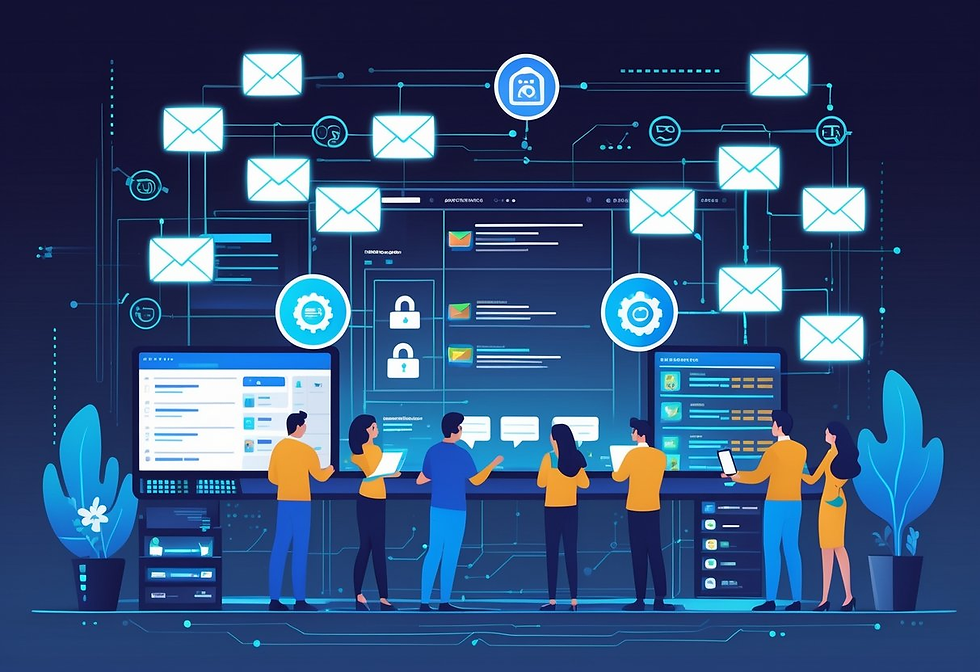
RIA firms face real obstacles min anaging email archives. Staying audit-ready and keeping up with new platforms isn’t easy, and balancing compliance with efficiency is a constant struggle.
Maintaining Compliance During Audits
When regulators ask, your firm must produce archived emails fast and accurately. The SEC and FINRA can request specific messages on short notice, and delays or missing records can lead to fines.
Your archiving solution should have powerful search features—find messages by date, sender, recipient, or keyword. You need to retrieve emails in minutes, not hours.
The system must keep all metadata, including timestamps and attachments. Key features for audit readiness include:
Automatic indexing of all emails
Legal hold to prevent deletion of records
Audit trails showing who accessed what
Export options that match regulatory formats
Look for a system that generates compliance reports documenting your retention practices. Auditors want to see that you’ve kept records for the required periods.
Ensuring Long-Term Accessibility
Email retention rules mean you need to store some messages for up to seven years. Your archived data must stay readable and searchable the whole time, even as tech changes.
Cloud-based archiving usually handles storage growth better than on-premises systems. They update formats and migrate data so you don’t have to worry about hardware failures or old file types locking you out.
Your solution should use WORM (Write Once, Read Many) storage for SEC Rule 17a-4(f) compliance. This prevents anyone from altering or deleting archived emails.
Reliable backup systems are a must to guard against disasters or breaches. Test your retrieval systems every quarter to make sure you can pull old emails when needed.
Adapting to Evolving Communication Channels
Clients now reach out through more than just email—think texts, WhatsApp, LinkedIn messages, and Microsoft Teams. All these count as business communications and need archiving.
Modern solutions capture data from all these channels in one place. This unified approach makes compliance easier since you’re not juggling separate archives for each platform.
You can search across all communication types at once during audits or disputes. Set clear policies on which channels employees can use for business, and make sure every approved platform connects to your archiving system.
Train your staff on these policies regularly. Regulators are watching for off-channel communications more closely now.
Pick an archiving provider that keeps adding support for new platforms. The system should capture messages automatically—even from mobile devices—so your team doesn’t have to upload anything manually.
The Future of RIA Email Archiving

Email archiving for RIAs is heading in a pretty clear direction—automation and artificial intelligence. More firms are leaning on these tools to cut down on manual work and, honestly, just get compliance right without all the headaches.
New tech makes it simpler to hit regulatory targets. Firms can now spend less time slogging through admin tasks.
Automation and AI in Archiving
Manual email filing is fading fast. Automated systems are stepping in and generating compliance evidence on their own.
That means firms can get ready for audits more quickly with a lot less hassle. AI-powered tools sift through communications and pull out what matters in seconds.
Some startups are even using AI to archive advisors' messages across email, text, and social media at the same time. This tech scans messages and flags compliance problems before they snowball.
Automated checklists are now pretty much the norm in archiving. Firms using real-time evidence say their audits go 30-40% faster than those still piecing together documentation by hand.
These systems just run quietly in the background. You don’t have to change how you use your email day to day.
The tech also cuts down on human mistakes in record-keeping. If you need to find something, just search by keyword, and the system instantly brings up every relevant email.
Trends in RIA Compliance Technology
RIA compliance technology keeps drifting toward these all-in-one platforms that pull together a bunch of communication channels. Modern systems now archive email, instant messages, texts, files, websites, and social media in one spot instead of forcing you to juggle a bunch of separate tools.
These integrated platforms offer some real perks:
They usually cost less than third-party apps
Data storage and retrieval feel simpler
Security features just keep getting better
Recovering data is a lot faster
Most email archiving solutions now come bundled with Microsoft subscriptions, so you don’t have to buy expensive add-ons. That shift makes compliance tech a lot more doable for smaller RIA firms.
Cloud-based systems are pretty much the norm at this point. They update automatically to keep up with SEC Rule 17a-4(f) changes, which means your firm stays compliant—no manual updates needed. Interfaces are getting more user-friendly, so even folks without a tech background can handle them without much hassle.
Next Steps for Your RIA or Broker-Dealer Firm
Secure Wealth IT helps Registered Investment Advisors, broker-dealers, and financial advisors stay secure, compliant, and audit-ready. Explore these free tools and resources:
Free Financial Calculators: calculator.securewealthit.com
Compliance Self-Assessment Tool: regulations.securewealthit.com
Resource Library: Browse free RIA and broker-dealer guides
Watch on YouTube: Secure Wealth IT YouTube channel
Talk to a Specialist: Schedule a free consultation


Comments