
Best Email Archiving For RIAs: Vendor Comparison Guide


Choosing the right email archiving platform is one of the most consequential compliance decisions your RIA will make.
The SEC requires that your firm preserve email communications for up to six years, and that data must be stored in a format that cannot be altered or deleted, commonly known as WORM (write once, read many).
Get this wrong, and you are not just exposed to fines; you are exposed to exam findings, client trust damage, and litigation risk.
The three platforms that come up most often in RIA evaluation conversations are Global Relay, Smarsh, and Proofpoint, and each one fits a different type of firm.
This guide breaks down how they compare across the criteria that actually matter for SEC and FINRA recordkeeping: retention enforcement, retrieval speed, supervision workflows, eDiscovery capability, Microsoft 365 compatibility, and operational overhead.
It also addresses where Microsoft's own native tools fit into the picture, and when a third-party archive is still the safer choice.
If you are already running Microsoft 365, or if your firm is growing into multi-channel communication across text and social, this comparison will help you move from vendor marketing to a practical, defensible decision.
Key Takeaways
WORM-compliant storage, fast retrieval, and supervision workflows are non-negotiable for SEC and FINRA exam readiness.
Global Relay, Smarsh, and Proofpoint each serve different firm profiles, and the right fit depends on your size, channel mix, and compliance complexity.
Microsoft 365 native archiving may cover basic needs, but most regulated advisory firms still benefit from a purpose-built compliance archive.
What RIAs Need From Email Archiving First

Before you evaluate any vendor, it helps to anchor the decision in what regulators actually require.
The SEC's books and records rules, FINRA's recordkeeping standards, and the practical realities of exam production all point to the same core requirements: durable retention, tamper-proof storage, fast search, and defensible access controls.
Retention Rules, Accessibility, and WORM Expectations
The SEC requires RIAs to retain most business-related emails for at least three years, with the first two years in an easily accessible location.
Certain records require up to six years of retention.
As noted in a compliance-focused archiving overview from Hadrius, retention must occur in WORM format, meaning the archived records cannot be altered or deleted by anyone, including administrators.
Your retention policies need to be configured in the platform from day one.
A vendor that requires manual policy setup for each new user creates operational risk.
Look for platforms that apply retention rules automatically at capture, not after the fact.
Why Retrieval Speed Matters More Than Raw Storage
Storage capacity rarely separates archiving platforms for most RIA firms.
What separates them in practice is how fast your compliance team or legal counsel can locate, review, and export a specific message thread under exam pressure.
An SEC exam production request can arrive with a short turnaround window.
A platform with full-text indexing, Boolean search, and custodian-level filtering will save your firm significant time and stress during both routine audits and contested disputes.
Raw terabytes of storage mean very little if the search interface is slow or requires technical expertise to operate.
Where Email-Only Coverage Creates Compliance Gaps
Many firms start with email-only archiving and assume that covers their obligations.
It often does not.
If your advisors are using text messaging, LinkedIn, or collaboration tools like Microsoft
Teams or Slack, those communications may constitute business records under FINRA and SEC rules.
An archiving solution that only captures email leaves a meaningful gap in your records management program.
That gap may not surface until an exam or a complaint investigation, which is exactly the wrong time to discover it.
How To Evaluate Archiving Platforms For A Regulated
Advisory Firm

Evaluating archiving platforms through an RIA-specific lens means looking past feature marketing and focusing on the workflows your compliance team will actually use.
The critical factors are capture coverage, search and export capability, and the operational burden of running the platform day to day.
Capture Coverage Across Email, Text, and Social Channels
Your archiving checklist should start with a complete inventory of every communication channel your advisors use.
Email is the baseline.
Text messaging, LinkedIn, Twitter/X, WhatsApp, and platforms like Microsoft Teams are increasingly part of client and internal communications and may require capture under your archiving solutions setup.
Not all platforms capture all channels natively.
Some require third-party connectors or additional licensing.
Confirm exactly which channels a vendor supports before signing a contract, and verify whether social and mobile capture is included in the base price or priced separately.
Search, Review, and Export Requirements For Exams
During a FINRA or SEC exam, your team needs to find specific messages quickly, review them in context, and export them in a production-ready format.
The platform's search interface should support keyword search, date ranges, custodian filters, and Boolean operators without requiring IT involvement for routine queries.
Export formats matter too.
Regulators may request specific file types, and your archiving platform should support standard production formats without additional engineering work.
Confirm this during a vendor demo, not after deployment.
Administration, Integrations, and Operational Overhead
Consider how much internal effort the platform requires to maintain.
Does it integrate with your email environment through a native API, or does it rely on journaling rules that can break silently?
Does it support SSO for simplified user management?
Supervision and compliance review workflows should be intuitive enough for a compliance officer without deep technical training.
For smaller RIA teams, a platform that requires a dedicated administrator to function is a poor fit.
Operational overhead is a real compliance risk if configuration errors go unnoticed.
Global Relay At A Glance
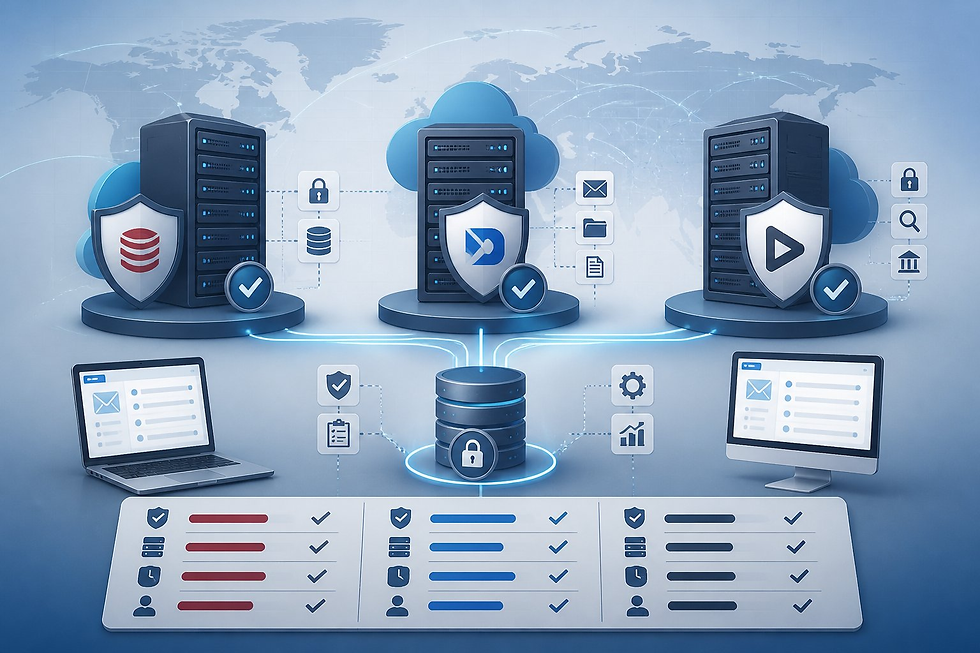
Global Relay is one of the most recognized names in financial services compliance archiving.
Its platform is built specifically for regulated industries, with deep support for supervision, surveillance, case management, and e-discovery workflows that align closely with SEC and FINRA exam expectations.
Core Strengths In Unified Archiving and Supervision
Global Relay Archive captures email, instant messages, voice, social media, and file attachments in a single unified archiving platform.
Its AI-powered supervisory tools allow compliance officers to set lexicon-based review queues, flag high-risk communications, and complete reviews within the platform itself.
Trade reconstruction, timeline visualization, and case management tools are built into the platform, making it well-suited for firms that face complex investigations or want a single system for both routine supervision and exam response.
Data residency options and data sovereignty controls give multi-jurisdictional firms flexibility in where records are stored, which matters for firms with international client relationships or offices.
Where Global Relay Fits Best For RIAs
Global Relay tends to be the strongest fit for mid-sized to larger RIA firms that need robust supervision workflows, multi-channel capture, and end-to-end case management in one platform.
Firms with active compliance review programs, broker-dealer affiliations, or complex communication environments will find the supervision depth valuable.
It also integrates well with Microsoft Exchange, Gmail, Microsoft Teams, and Slack, covering most of the environments RIAs operate in today.
Potential Tradeoffs To Review Before Selection
Global Relay's pricing is enterprise-oriented, and for lean RIA teams with straightforward email-only needs, the platform may carry more complexity and cost than necessary.
The depth of its feature set can translate to a longer onboarding period.
As Gartner Peer Insights comparisons note, both Global Relay and Smarsh are strong platforms, but the right choice depends on firm-specific workflow and scale requirements.
Smarsh At A Glance

Smarsh has built a strong reputation in the financial services compliance space with a cloud-native architecture and a broad set of multi-channel capture and supervision tools.
Its platform serves firms ranging from small advisory practices to large enterprises.
Strengths In Supervision, Multi-Channel Capture, and Compliance Workflows
Smarsh supports email, social media, mobile communications, and collaboration platforms, with customizable retention policies aligned to SEC and FINRA requirements.
Its Professional Archive product is designed specifically for smaller teams that need compliant email archiving without enterprise-level complexity.
Supervision workflows are well-developed, with configurable review queues, escalation paths, legal hold, and litigation support tools built into the platform.
Compliance workflows can be tailored to match your firm's review procedures without heavy customization.
Best-Fit Scenarios For Growing Advisory Firms
Smarsh fits RIA firms that are growing and expect their communication channels to expand over time.
Its cloud-native architecture means the platform scales without requiring firms to provision new infrastructure.
For firms that already use Redtail Email, the native integration is a meaningful operational advantage.
Firms that want strong compliance management tooling, including acknowledgment tracking and policy templates, alongside archiving, will find Smarsh's ecosystem relatively complete.
Common Limitations and Adoption Considerations
Some users report that the administrative interface requires a learning curve, particularly for compliance staff who are not technically oriented.
Pricing can increase meaningfully as additional channels are added to the capture scope.
As noted in a side-by-side comparison on Clerk Chat, both Smarsh and Global Relay are comparable in core archiving capability, so the decision often comes down to pricing, support experience, and specific integration needs.
Proofpoint At A Glance

Proofpoint operates in a different primary category than Global Relay and Smarsh. It is primarily an email security platform, and its archiving capability comes through Proofpoint Enterprise Archive, a separate product with cloud-based archiving, e-discovery, and surveillance features.
Where Proofpoint Stands Out In Archiving and Risk Controls
Proofpoint Enterprise Archive provides cloud-based archiving with strong e-discovery tools, legal hold management, and integration with Proofpoint's broader security stack.
For firms that are already using Proofpoint for email security, adding the archive creates a tightly integrated environment where security and recordkeeping live in the same vendor ecosystem.
Its risk management controls, including content classification and access control, are well-developed for firms managing sensitive data at scale.
Best Use Cases For Firms With Broader Security Priorities
Proofpoint as an archiving solution makes the most sense when your firm is already invested in Proofpoint's email security platform.
The consolidated vendor relationship simplifies administration and can reduce integration complexity.
Firms with large user populations that prioritize security-first operations alongside compliance will get more value from the combined stack.
Compared to Global Relay and Smarsh, Proofpoint sits in a different category since its primary strength is email security rather than compliance archiving.
The archive product is capable, but its supervision and financial services compliance depth is less specialized.
Questions RIAs Should Ask About Financial Compliance Fit
Before selecting Proofpoint as your primary archiving solution, ask directly whether the platform meets SEC and FINRA recordkeeping requirements for WORM-compliant retention.
Confirm that supervision review workflows are included and functional for your compliance team.
Ask whether multi-channel capture for text, social, and Teams is available and at what additional cost.
The answers will help you determine whether it fills the archiving role or whether it is better paired with a dedicated compliance archive.
Microsoft 365 Considerations In The Decision

Most RIA firms today run on Microsoft 365, which means Microsoft's own archiving and compliance tools are already part of your technology environment.
Understanding where those native capabilities begin and end is essential before committing to a third-party archive.
When Native Microsoft Capabilities May Be Enough
Microsoft 365 includes Exchange Online Archiving, which provides policy-based retention, in-place legal holds, and basic eDiscovery search.
As noted in a comparison published by RIA WorkSpace, firms already subscribed to qualifying Microsoft 365 plans may already have access to Exchange Online Archiving at no additional cost.
For very small RIA teams with simple email-only communication, native Microsoft capabilities may meet the baseline retention and basic search requirements.
The tools are familiar, administered through the same Microsoft 365 tenant, and updated continuously.
How Microsoft Purview Changes The Comparison
Microsoft Purview significantly expanded Microsoft's compliance toolset with more advanced eDiscovery, content search, case management, retention label policies, and communication compliance features.
For some firms, Purview narrows the gap between native Microsoft tools and dedicated third-party archives.
Microsoft Purview's communication compliance module can review Teams messages, email, and other channels for policy violations.
For firms that primarily communicate through Microsoft tools, this capability is meaningful and worth evaluating before adding a separate vendor.
When A Third-Party Archive Still Makes Sense
Native Microsoft tools do not include purpose-built financial services supervision workflows, regulatory-specific retention templates, or the kind of case management depth that Global Relay and Smarsh offer.
If your firm needs supervision queues, lexicon-based review, or multi-channel capture that extends beyond Microsoft's ecosystem, a third-party archive remains the more defensible choice.
Teams that rely on a compliance-focused IT partner, such as one aligned to FINRA, SEC, and NIST standards, for their Microsoft 365 administration will also want archiving tools that integrate cleanly with their managed environment and produce documentation that holds up in an exam.
Beyond Email: Text, Social, and Collaboration Recordkeeping

Compliance archiving has expanded well beyond the inbox.
If your advisors send a text to a client, post on LinkedIn, or message a colleague in Microsoft Teams, those communications may qualify as business records under SEC and FINRA rules.
Your archiving strategy needs to address each channel your firm uses.
Text Message Archiving Expectations For Advisors
FINRA has been clear that text messages used for business communications must be captured and retained just like email.
This applies whether advisors use firm-issued devices or personal phones for client contact.
Platforms like MyRepChat provide text message archiving designed specifically for financial advisors, creating a compliant channel for SMS communication.
If your current archiving setup does not capture text messages, you have a gap that regulators may flag during an exam.
Social Media and Team Collaboration Capture
LinkedIn, Twitter/X, and Facebook are frequently used channels for advisor marketing and client engagement.
Any direct messaging through those platforms that constitutes business communication must be archived.
Both Smarsh and Global Relay offer social media archiving connectors, though coverage varies by network and plan.
Microsoft Teams archiving through Purview covers internal collaboration for firms on Microsoft 365.
If your team also uses Slack or Zoom, confirm whether your archiving solution captures those channels or whether you need additional connectors.
How Channel Sprawl Affects Supervision
The more channels your advisors use, the harder it is to maintain consistent supervision across all communications.
An archive that captures email but misses text, social, and Teams creates fragmented records.
This makes surveillance harder, and it creates gaps that complicate both routine compliance reviews and investigation responses.
Channel sprawl is one of the strongest arguments for choosing a unified archiving platform that centralizes capture, search, and supervision in a single system.
Security, Privacy, and Data Governance Factors
The archiving platform you choose will hold years of sensitive client communications.
That makes security certifications, access controls, and data governance practices as important as compliance feature sets.
Immutability, Access Control, and Audit Defensibility
WORM-compliant storage ensures that archived records cannot be modified or deleted.
Beyond immutability, your platform should enforce strict access control, meaning only authorized users can search, review, or export records.
Audit logs that record every access event and search query are essential for demonstrating to regulators that your archive has not been tampered with.
When an examiner asks who accessed a specific record and when, you need a clear, complete answer.
Platforms without detailed access logging create a gap in your audit defensibility.
Data Residency, Sovereignty, and Cross-Border Concerns
If your firm has clients or operations outside the United States, data residency and data sovereignty become relevant compliance factors.
GDPR, for example, imposes restrictions on where certain personal data can be stored and processed.
Both Global Relay and Smarsh offer data residency options for firms that need records stored in specific geographic regions.
Confirm with any vendor where your data will reside by default, and whether you can specify or restrict storage locations if your compliance program requires it.
Third-Party Assurance and Security Certifications
Look for platforms that maintain SOC 2 Type II certification, which demonstrates that independent auditors have verified the platform's security controls over time.
ISO 27001 certification is another strong indicator of mature information security practices.
Some platforms also hold HIPAA-aligned controls, which may be relevant if your firm manages health-related financial accounts.
Ask for current certification documentation before signing.
Certifications that are expired or not yet renewed are a warning sign worth investigating.
eDiscovery, Legal Hold, and Investigation Readiness
If your firm faces a regulatory exam, a client complaint, or litigation, your archiving platform becomes your primary evidence management tool.
The quality of your e-discovery and case management capabilities directly affects how well you can respond.
Search Precision and Production Workflows
A capable e-discovery workflow starts with precise search.
You need to locate messages by keyword, date range, sender, recipient, and custodian without sifting through irrelevant results.
Full-text indexing with Boolean operators and phrase search is the baseline expectation for any platform handling financial services records management.
Once messages are identified, the platform should support tagging, batching, and export in standard production formats.
The export process should not require technical support for every production request.
Case Management For Audits and Disputes
Dedicated case management tools let your compliance team organize messages, apply legal hold to specific custodians, and track the status of open investigations in one place.
This is where Global Relay and Smarsh both demonstrate clear advantages over Microsoft's native tools for regulated firms.
Case management within the archive eliminates the need to move data between systems during an active inquiry.
Legal hold prevents records from expiring under normal retention policies while a matter is open.
Confirm that your platform can apply a legal hold at the custodian level and that the hold survives user offboarding.
Supporting Litigation, Exams, and Internal Reviews
The same system that handles routine supervision should be capable of supporting litigation response and internal reviews without requiring a separate platform or significant manual effort.
When a regulator arrives with a document request, your team should be able to respond from the archive directly, with a clear, defensible chain of custody.
Platforms that require data exports to a separate review tool before production add time, cost, and risk to that process.
Choosing The Right Fit By Firm Size And Complexity
There is no single archiving platform that serves every RIA well.
Firm size, channel mix, regulatory complexity, and budget all shape which solution delivers the best compliance value.
Lean RIA Teams With Simpler Communication Needs
For solo advisors or small RIA firms with fewer than ten users and email-only communication, the priority is reliable retention, WORM-compliant storage, and a search interface simple enough to use without ongoing IT support.
Smarsh's Professional Archive and Microsoft's Exchange Online Archiving are both worth evaluating at this level.
If you are already on Microsoft 365, exploring what your current licensing tier includes through Microsoft Purview before purchasing a separate archive is a reasonable first step.
Resources like the email archiving guide from security.toolsinfo.com provide a useful framework for building your initial evaluation checklist.
Mid-Sized Firms Needing Multi-Channel Oversight
Firms with 10 to 50 advisors, active supervision programs, and communication across email, text, and social channels need a platform with broader capture coverage and more robust supervision tools.
At this scale, Global Relay and Smarsh both compete strongly.
The key evaluation criteria at this tier are multi-channel capture breadth, supervision workflow depth, case management tools, and integration with your existing CRM and email environment.
Checking verified user reviews on platforms like Gartner Peer Insights helps validate how each platform actually performs for compliance teams rather than IT administrators.
When Broker-Dealer Affiliation Changes Requirements
If your firm has a broker-dealer affiliation or is dually registered, your archiving requirements become more complex.
FINRA Rule 4370, data archiving and retention aligned to FINRA standards, and supervision workflows that satisfy both your BD's compliance program and your own RIA obligations all need to be addressed.
In these cases, a unified platform with strong supervision, multi-channel capture, and compliance management tools is less optional and more essential.
Your BD may also have preferred vendor relationships or pre-approved platforms, which narrow the selection pool significantly.
What To Confirm Before You Commit
Signing an email archiving contract without thorough due diligence creates risk.
The questions below are designed to surface gaps before they become exam findings or operational problems.
Questions To Ask In A Vendor Demo
During any vendor demo, work through this archiving checklist:
Does the platform capture all channels your advisors currently use?
Is WORM-compliant storage enforced automatically at capture?
How does retention policy configuration work for new users?
What does a production export look like for a typical SEC or FINRA request?
How are supervision queues configured, and who administers them?
Is a legal hold applied at the custodian level, and does it survive offboarding?
Does the platform integrate with your email environment through a native API or journaling?
Is SSO supported, and how is user provisioning managed?
Ask to see the search interface in a live demo, not a pre-recorded walkthrough.
Use realistic financial services search scenarios.
Migration, Retention, and Exit Planning
Before committing, confirm what happens to your existing archives if you are migrating from a prior platform.
Data migration can be complex and expensive, and incomplete migrations create retention gaps.
Ask the vendor to document their migration process and provide a realistic timeline.
Understand the exit process as well.
If you decide to switch platforms in three years, how will you retrieve your archived data, in what format, and at what cost?
Retention policies that require you to keep data in the platform for six years deserve scrutiny around exit terms.
How To Align Archiving With Your Broader Compliance Program
An archiving platform is one component of a broader compliance program. It is not a standalone solution.
Your retention policies, supervision workflows, and e-discovery procedures all need to connect to your policies and procedures documentation. They should also link to your annual compliance review and your incident response plan.
Working with a compliance-aligned IT partner that understands how archiving fits into your SEC and FINRA obligations will help you configure the platform correctly from the start. Maintaining the platform as your firm grows is also important.
A compliance-focused risk management review before you select a platform is worth the time investment. This is especially true if your firm has not yet formalized its records management and information governance documentation.
Next Steps for Your RIA or Broker-Dealer Firm
Secure Wealth IT helps Registered Investment Advisors, broker-dealers, and financial advisors stay secure, compliant, and audit-ready. Explore these free tools and resources:
Free Financial Calculators: calculator.securewealthit.com
Compliance Self-Assessment Tool: regulations.securewealthit.com
Resource Library: Browse free RIA and broker-dealer guides
Watch on YouTube: Secure Wealth IT YouTube channel
Talk to a Specialist: Schedule a free consultation
For more information about this topic, visit us at https://www.securewealthit.com



Comments